
Storing Receipts in Evernote: Scanners and iPhone App Options
Ever since we bought our house, Liz and I have been trying to be good about saving all our receipts. There are significant differences between purchases for repairs versus purchases for improvements (something that lasts longer than 12 months, I think). Knowing how much we’ve spent on improvements on the house is a valuable thing – moreso for the future, if we ever end up selling the house. I think it has to do with what we could potentially deduct from the final sale price of the home, given that we spent X amount on improvements.
Thankfully Liz, with her mathematical abilities, is the one who oversees most of our household financials. But for now, our receipts have just been accruing – with the pile getting bigger and bigger. We can just store them in a box, but as we’ve heard from others – the ink starts to degrade after a few years, and could become illegible.
The tech nerd in me says – store it electronically! This seems a perfect task for Evernote, if there ever was one. And while I use it somewhat sparingly now… saving receipts would be my first, official Evernote-as-storage project.
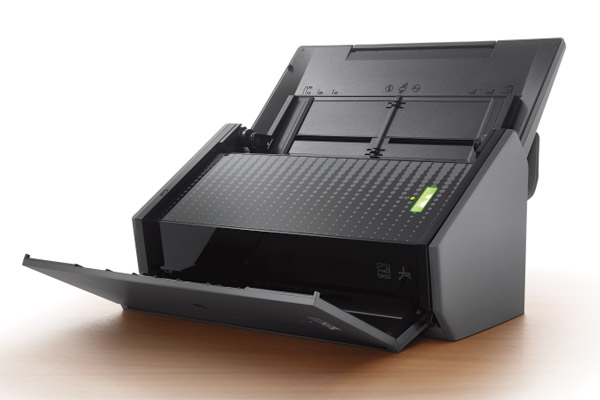
I remembered an older BoingBoing article, talking about a scanner that was good for pulling in receipts. Lo and behold, it’s the same brand that I saw recently promoted by Evernote itself – the Fujitsu ScanSnap:
At $495, that’s a lot of money to be shelling out. The scanner looks pretty amazing, but not sure if it’s overkill or not for our purposes. Looking online, I see a similar version of the scanner on Amazon.com for around $400

Still, not sure shelling out that kind of dough will be worth it for us – unless we really start to utilize Evernote a lot more. Perhaps a simpler (but somewhat more manual) solution would be Receiptmate?
Or, we could just make do with the Evernote iPhone app and call it a day. Or, I dunno… just use an Excel file. While the gadgety portion of my brain leans towards the fancy scanner… part of me thinks I’m just getting enticed by the technology. Maybe what I really need is just a bag hutch.
Related:
Closing Day – We Just Bought a House!
Office Supply Update: Paper Shredder
Found Magazine at Intuit Gallery – Faxes and Receipts
Evernote is awesome! I’ve known about it for years, but never really had what I considered a “valid use” for it until about a year ago. My wife had some health issues, and I knew I was about to be inundated with mountains of paperwork. I setup Evernote with a Snapscan S1500 (think those are discontinued). It’s essentially a very similar scanner to the one in your video. One thing to note, Evernote will work with many, many scanners. Even if it won’t integrate with a scanner you have you can always scan to PDF, then drag and drop the files into evernote.
Where the Snapscan shines is in scanning multiple pieces of paper. So, it you have lots of stacks sitting around, it may be worth it to save time, but if you have a few here and there, you could probably find a cheaper option.
I’ve used Evernote for many things, and the more I use it, the more uses I find for it. One of my biggest pet peeves is technology for technology’s sake. I will say however, it is a solid solution to the organization and recall of document data – whatever those documents may be.
Good luck!
Scott (February 5, 2014 at 2:22 pm)